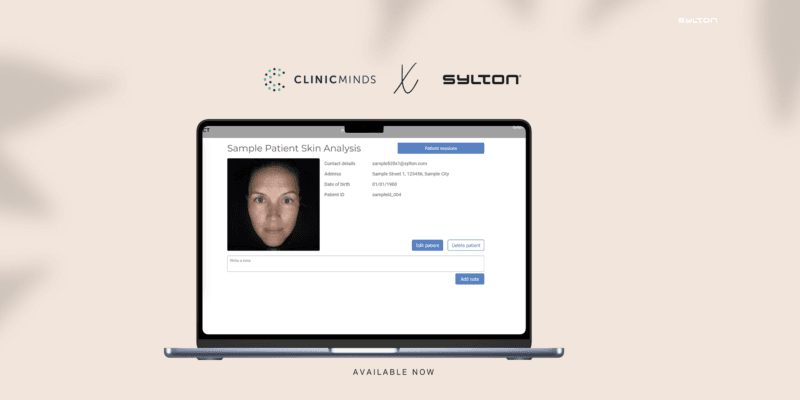
Sylton × Clinicminds

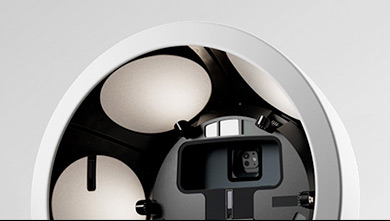
The Observ 520x reveals what's beneath the surface. Clinicminds holds everything you know about your patient. Now they work as one.
clinicminds x sylton (medium banner (us) (landscape))

Two platforms. Two workflows. One gap.

For years, aesthetic clinics running the Observ 520x faced a familiar friction: the clinical insights from a skin imaging session lived on one platform, while the patient record, treatment history, consent, notes, and appointments lived somewhere else entirely. What made it into the patient file depended on what the practitioner remembered to write down. The visual evidence that shaped the consultation rarely ended up in the same place as the documentation that followed it. That’s the gap this integration closes.
website

One click. A complete clinical picture.

The Clinicminds and Observ 520x integration connects your imaging workflow directly to your patient management system without platform switching, manual exports, or double data entry.
Cloud Arrow Up Streamline Icon: https://streamlinehq.com

Sync patient data instantly

Register an existing Clinicminds patient in Sylton Connect with a single click. Names, dates of birth, and contact details transfer automatically, no re-entry required. For clinics where front-desk staff handle registration and practitioners handle imaging, this alone removes a meaningful source of administrative duplication before the consultation even begins.

Devices Streamline Icon: https://streamlinehq.com

Open Observ directly from the patient file

From within any patient profile in Clinicminds, navigate straight into that patient’s active Observ session or review all previous sessions, without switching platforms or searching manually. The transition is seamless and works in both directions, so the consultation flow is never interrupted by the tools that are supposed to support it.

User Plus Streamline Icon: https://streamlinehq.com

Save imaging highlights to the patient record

Select the images that matter most from an Observ session: a UV damage overlay, a pigmentation comparison, a pre-treatment baseline, and save them directly into the patient’s Clinicminds file. Not into a shared folder. Not as an email attachment. Into the record itself, where they belong.

Imaging data belongs next to clinical notes. Here’s why it matters.

banner_partnerships

Treatment continuity

When imaging and notes are separated, the complete clinical picture has gaps. Those gaps get filled from memory, which is less reliable than documentation captured at the moment of consultation. A unified record means any practitioner picking up that file has the full story.

sylton_banners_thisissylton

Patient Experience

A patient who can see their skin journey documented with visual precision imaging, treatment notes, and progress comparisons, all in one place,all experiences a level of clinical care that is both reassuring and memorable.

banner_markets_02

Medicolegal completeness

In aesthetic medicine, where outcomes are visible and patient expectations are high, a record that includes the imaging evidence behind clinical decisions is materially stronger than one that doesn’t.

Connect. Now.

The integration is live. Your workflow does not have to wait.