




Observ 520x and Clinicminds Integration: Skin Imaging Thumbnails Now Live in Your Patient Record
The Observ 520x Clinicminds integration now shows skin imaging thumbnails directly inside the patient record in Clinicminds. One click opens the full session in the Observ app.
The Observ 520x and Clinicminds integration has been updated with a feature that directly changes how aesthetic clinics, MedSpas, and skin therapists manage the consultation workflow. Sylton, the manufacturer of the Observ 520x professional skin imaging system, and Clinicminds, the all-in-one GDPR and HIPAA-compliant clinic management software for aesthetic medicine, have introduced skin imaging thumbnails inside the Clinicminds electronic medical record (EMR). Practitioners can now see Observ session images directly within the patient file and open the full session in the Observ app with a single click, without leaving the clinical record or switching platforms manually.
For clinics running both platforms, this update closes the last gap in a fully connected aesthetic clinic workflow, from patient intake and skin analysis through to treatment planning, progress review, and before-and-after documentation, all accessible from a single place.

What the Updated Observ 520x Clinicminds Integration Does
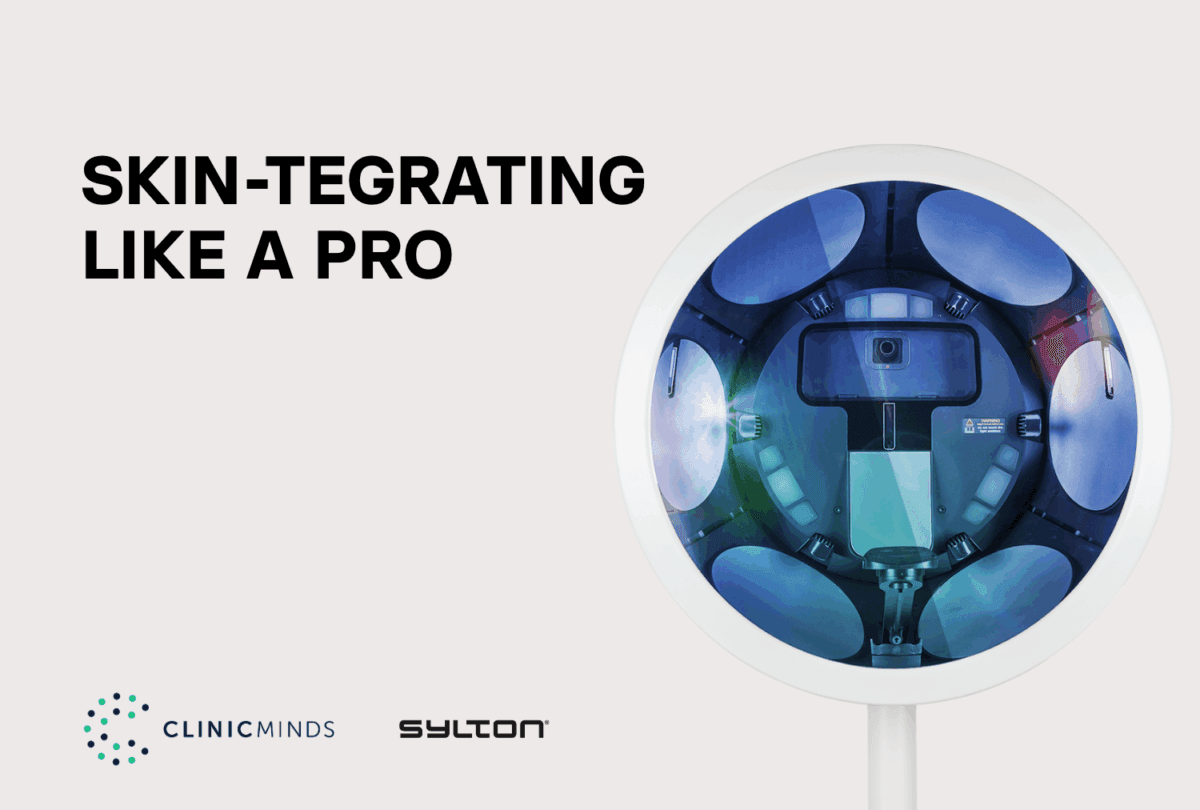
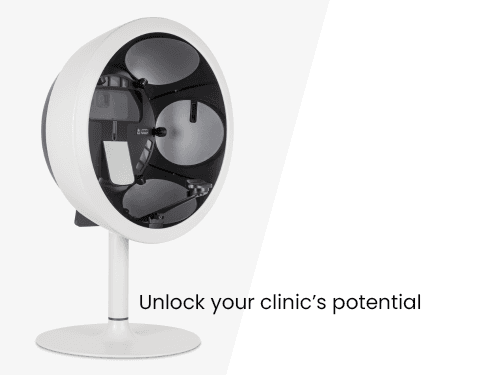
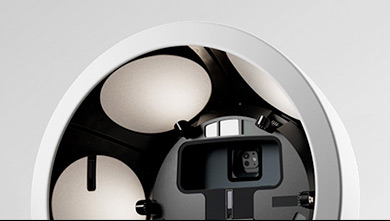
The Observ 520x is a professional skin analysis device manufactured by Sylton, used in aesthetic clinics and dermatology practices worldwide. It captures high-definition skin imaging across 10 distinct light modes, including UV, cross-polarized, parallel-polarized, Wood’s Lamp simulation, pigmentation, and vascularity, revealing subsurface conditions invisible to a standard clinical assessment. Sylton Connect is the companion software platform through which Observ sessions are stored, managed, and accessed.
Clinicminds is an all-in-one clinic management platform built for aesthetic clinics and MedSpas. It combines electronic medical records (EMR), scheduling, consent management, billing, CRM, and patient communication in a single GDPR and HIPAA-compliant system. The Clinicminds and Sylton integration connects both platforms so that patient data created in Clinicminds syncs to Sylton Connect automatically, and practitioners can navigate from a patient file in Clinicminds directly into their Observ session.
The new capability builds on that foundation in a specific and practical way. When a patient has an existing Observ session on file, thumbnails of those session images now appear within their record in Clinicminds. A practitioner reviewing the patient file can see the imaging at a glance, identify which session it belongs to, and open the full Observ session in the app with a single click. The patient record and the skin imaging session are now part of the same clinical view rather than two separate platforms requiring separate navigation.
How Skin Imaging Thumbnails Elevate the Aesthetic Clinic Workflow
Without the thumbnail integration, the aesthetic clinic workflow using both platforms looked like this: a practitioner opens the patient file in Clinicminds, reviews clinical notes and appointment history, then navigates separately to Sylton Connect to locate the relevant Observ session. That is not a significant technical burden, but in a consultation running to schedule with a patient present, it is a break in clinical focus that practitioners have to consciously manage.
With Observ thumbnails visible inside the Clinicminds patient record, the skin imaging is part of the clinical picture from the moment the file is opened. There is no separate navigation step. Before a return visit, a skin therapist or cosmetic physician can review the previous Observ session directly from the patient file in Clinicminds and have the images open and ready before the patient sits down. The consultation begins with the full clinical context already on screen.
For before-and-after skin imaging and progress reviews, the difference is particularly clear. A practitioner comparing current and previous skin analysis results can now open both sessions from within the clinical record without switching between platforms. The visual documentation of the patient’s treatment journey sits alongside the written record of it, in the same workflow, at the point in the consultation where it is needed.
Skin Analysis, Treatment Planning, and Progress Review in One Place
The clinical value of the Observ 520x is highest when imaging is available at the right moment during the consultation. Research indicates that around 80% of prospective cosmetic patients review before-and-after images before selecting a clinic, and approximately 75% would not consider a practice that does not provide visual documentation of this kind. When skin imaging thumbnails are visible inside the EMR rather than on a separate platform, practitioners can integrate visual evidence into every relevant stage of the consultation without interruption.
Clinics using the Observ 520x in their skin consultation workflow have reported increases of over 35% in treatment and skincare sales. That result reflects a specific dynamic: patients who can see the clinical evidence behind a recommendation respond differently than patients who receive only a verbal description of the same finding. Immediate access to imaging within the clinical record is what ensures that evidence is consistently present, not only in consultations where everything runs smoothly.
For skin therapists and cosmetic physicians managing long-term patient relationships, the treatment continuity benefit is equally significant. A complete patient record in Clinicminds, with Observ imaging thumbnails linking directly to the corresponding sessions in Sylton Connect, gives every practitioner who sees that patient access to the same documented clinical picture, regardless of who conducted the original consultation.

The Clinicminds and Sylton Connect Workflow, Step by Step
Step 1: Patient registration in Clinicminds syncs to Sylton Connect
When a new patient is added to Clinicminds, their record syncs to Sylton Connect with a single click. No manual re-entry of patient data is required. From this point, the patient exists in both the clinic management system and the skin imaging platform, with the records linked.
Step 2: Skin imaging session captured in Sylton Connect via the Observ 520x
The practitioner runs the Observ 520x skin analysis session. High-definition images are captured across the relevant light modes. The session is saved in Sylton Connect and linked to the patient record created at registration.
Step 3: Observ thumbnails appear in the Clinicminds patient record
Following the session, thumbnails of the Observ images appear directly within the patient’s file in Clinicminds. The practitioner can see the imaging alongside clinical notes, consent records, and appointment history without navigating to a separate platform.
Step 4: One click opens the full Observ session from inside Clinicminds
Clicking any thumbnail in the Clinicminds patient record opens the full Observ session in the Observ app immediately. The practitioner can review all captured images, compare light modes, and return to the clinical record without losing context. The treatment plan can be built around what the skin analysis has shown, rather than what the practitioner recalls from a separately accessed session.
Step 5: Return visits and before-and-after progress review
When the patient returns, the practitioner opens the file in Clinicminds and sees thumbnails from all previous Observ sessions. The most recent session or any earlier session can be opened from the record for direct comparison. Before-and-after skin imaging is accessible in the same workflow as the treatment notes, appointment history, and clinical documentation for that patient.
Two Platforms, One Connected Aesthetic Clinic
Clinicminds is the clinical and administrative backbone of the aesthetic clinic: electronic medical records, scheduling, consent, billing, and patient communication in one GDPR and HIPAA-compliant platform. The Observ 520x, manufactured by Sylton, is the visual layer: skin-analysis imaging that provides clinical recommendations with an evidential foundation. Sylton Connect is the software environment through which Observ sessions are managed and accessed.
The integration between Clinicminds and Sylton Connect enables these platforms to function as a single system. Patient data moves between them without manual transfer. Skin imaging thumbnails appear inside the EMR. The full Observ session opens from the patient record with one click. The resulting aesthetic clinic workflow is faster, more complete, and more clinically grounded than one in which the same tools operate in parallel without a connection.
At Sylton, the Observ 520x is built around the principle that technology should reveal the true essence of every skin type, giving practitioners the clinical precision to support every patient who walks through the door. The integration with Clinicminds is how that clinical precision follows the patient through intake, consultation, treatment, and every follow-up that comes after.
Already Using Both Platforms? The Integration Is Ready Now.
Current Clinicminds users with an Observ 520x can access the thumbnail integration through their existing Sylton Connect setup. Clinics evaluating either platform can find full details on the Clinicminds and Sylton integration page at clinicminds.com. Contact your regional Sylton distributor to see the connected workflow demonstrated in your clinic environment.
Frequently Asked Questions
What is the Observ 520x and Clinicminds integration?
The Observ 520x and Clinicminds integration connects Sylton Connect, the companion software platform for the Observ 520x skin imaging system, with Clinicminds, an all-in-one EMR and clinic management platform for aesthetic clinics and MedSpas. The integration allows patient data to sync between the two platforms, enables direct navigation from a Clinicminds patient record to an Observ session, and now displays Observ imaging thumbnails directly within the Clinicminds patient file.
What does the skin imaging thumbnail feature in Clinicminds do?
When a patient has an existing Observ session in Sylton Connect, thumbnail images from that session now appear directly within their record in Clinicminds. Clicking a thumbnail opens the full Observ session in the Observ app with a single click. This means practitioners can view and access skin imaging without leaving the clinical record or navigating between platforms separately.
Which clinics can use the Observ 520x Clinicminds integration?
The integration is available to any aesthetic clinic, MedSpa, or skin therapy practice running both the Observ 520x skin imaging system and Clinicminds clinic management software. Current Clinicminds customers with an Observ 520x can activate the integration through their existing Sylton Connect account. Setup takes a few minutes and requires no additional software.
How does the Observ 520x and Clinicminds integration improve the patient consultation?
The integration removes the need to navigate separately to the skin imaging platform during a consultation. Observ session thumbnails visible in the Clinicminds patient record mean that skin analysis imaging is part of the clinical picture from the moment the file is opened. Treatment planning, before-and-after progress review, and patient-facing consultation discussions can all be supported by the imaging without interrupting the consultation flow.
Is the Observ 520x Clinicminds integration GDPR and HIPAA compliant?
Clinicminds is a GDPR and HIPAA-compliant clinic management platform. The integration with Sylton Connect operates within the same compliance framework. Patient data synced between Clinicminds and Sylton Connect is handled in accordance with applicable data protection requirements for aesthetic medicine and healthcare practices.
What skin conditions does the Observ 520x reveal?
The Observ 520x reveals skin conditions including subsurface UV damage, early-stage pigmentation migration, vascular irregularities, surface texture variation, fine lines, and wrinkles. It captures imaging across 10 distinct light modes, including UV, cross-polarized, parallel-polarized, pigmentation, vascularity, and Wood’s Lamp simulation, revealing findings that are not visible under standard clinical assessment or daylight examination.
You can find full setup details on the Clinicminds and Sylton integration page, or contact your regional Sylton distributor to see the connected workflow in action.